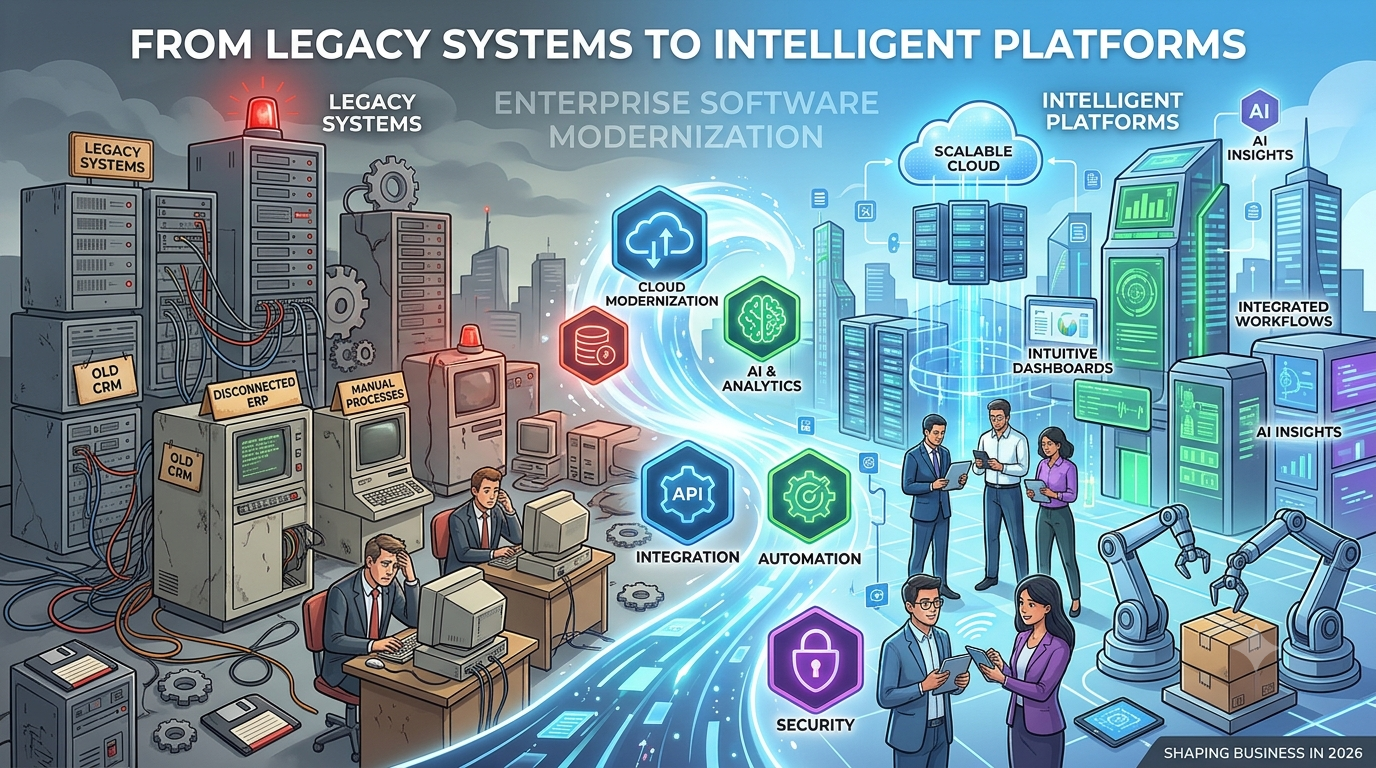
Businesses depend on software for almost everything—from managing customer relationships and processing transactions to coordinating employees, analyzing data, and running daily operations.
But as companies grow, their technology environments often become more complicated. Different departments use different applications, older systems struggle to support new requirements, and disconnected workflows slow down decision-making.
The problem is not always a lack of technology. Sometimes, businesses simply have too many systems that were never designed to work together.
In 2026, enterprise software modernization is becoming an important strategy for organizations that want to improve operational efficiency, strengthen security, and build technology that can support long-term growth.
Rather than replacing every existing application, businesses can modernize selected systems, integrate essential platforms, automate repetitive processes, and introduce intelligent capabilities where they create measurable value.
Here’s how organizations can approach this transformation.
1. What Is Enterprise Software Modernization?
Enterprise software modernization is the process of improving existing business applications, infrastructure, and technology workflows to meet current operational requirements.
It may involve updating outdated applications, moving workloads to cloud infrastructure, redesigning software architecture, integrating disconnected platforms, or introducing AI-powered capabilities.
Common modernization initiatives include:
- Rebuilding outdated business applications.
- Migrating selected systems to cloud environments.
- Connecting CRM, ERP, and internal business tools.
- Automating repetitive business processes.
- Improving application performance and security.
- Introducing AI-powered features and analytics.
- Creating modern web and mobile interfaces.
The objective is not simply to use newer technology. It is to make business systems more useful, reliable, secure, and adaptable.
2. Why Businesses Are Rethinking Their Legacy Software
Legacy software can continue supporting business operations for years. However, problems arise when older applications become difficult to maintain or cannot support changing business needs.
Here are some common warning signs.
Disconnected Business Applications
When sales, finance, operations, and customer support use separate systems, employees may need to enter the same information multiple times.
This creates data inconsistencies and unnecessary manual work.
Increasing Maintenance Costs
Older applications may depend on outdated frameworks, unsupported components, or specialized technical knowledge.
Maintaining these systems can become increasingly difficult.
Limited Scalability
Some legacy applications were designed for smaller workloads and may struggle when businesses expand into new markets, introduce new services, or process larger volumes of information.
Security and Compliance Concerns
Outdated software may lack modern authentication, monitoring, encryption, or vulnerability management capabilities.
Poor User Experience
Employees and customers expect intuitive digital experiences. Complicated interfaces and slow applications can negatively affect productivity and customer satisfaction.
Modernization helps organizations address these challenges through a planned technology strategy.
3. The Role of AI in Enterprise Software Modernization
Artificial intelligence is changing how organizations interact with business applications.
Instead of using software only to store information or execute predefined tasks, businesses can introduce AI capabilities that help analyze information, summarize activity, identify patterns, and assist employees.
Visionary Solutions Group — AI & Automation for SMBs
Some practical applications include:
AI-powered business reporting: Generate summaries and insights from business data.
Intelligent customer support: Help support teams find relevant information and respond to common customer questions.
Document processing: Extract and organize information from invoices, forms, and business documents.
Predictive analytics: Identify patterns that can support planning and operational decisions.
Workflow assistance: Help employees complete repetitive tasks and navigate business processes.
However, AI integration should begin with a clear business problem. Adding AI without considering data quality, security, and workflow requirements can create unnecessary complexity.
4. Cloud Modernization: Building Flexible Business Infrastructure
Cloud technology gives organizations additional options for hosting, managing, and scaling software applications.
For businesses operating across multiple locations or serving customers in different regions, cloud-based systems can support more flexible access and infrastructure management.
Important advantages include:
- Flexible infrastructure capacity.
- Easier access for distributed teams.
- Centralized application management.
- Integration with cloud-based services.
- Improved deployment flexibility.
- Options for backup and disaster recovery.
Not every application needs to move to the cloud immediately. Some organizations benefit from hybrid architectures that combine cloud services with existing on-premises infrastructure.
The right approach depends on application dependencies, security requirements, performance expectations, and business costs.
5. Custom Software Integration: Connecting the Entire Business
One of the biggest modernization opportunities is connecting applications that currently operate independently.
Consider a business that uses:
- CRM software for customer information.
- ERP software for finance and operations.
- Inventory software for stock management.
- Project management tools for internal tasks.
- Separate reporting platforms for business analytics.
Without integration, employees may need to transfer information manually between systems.
Custom software integration can connect these applications through APIs, middleware, and automated workflows.
API Integration Services for CRM, ERP and B2B Systems
For example, when a sales team confirms an order, an integrated workflow could automatically update inventory, notify the operations team, and create the relevant financial record.
This helps businesses reduce repetitive work and maintain more consistent information across departments.
6. Business Process Automation: Turning Repetitive Work into Efficient Workflows
Modernization is also about improving how work gets completed.
Many organizations still depend on manual approvals, spreadsheet-based reporting, repeated data entry, and email-driven processes.
Business process automation can help streamline these activities.
Common automation opportunities include:
| Business process | Automation opportunity |
|---|---|
| Sales operations | Lead assignment and follow-up notifications |
| Finance | Invoice processing and approval workflows |
| Human resources | Employee onboarding and document collection |
| Customer support | Ticket routing and status notifications |
| Inventory | Stock alerts and replenishment workflows |
| Reporting | Scheduled reports and dashboard updates |
Automation should support employees rather than create complicated workflows that are difficult to manage.
A successful implementation starts by understanding the existing process, identifying unnecessary steps, and designing a simpler workflow.
7. Modernization Strategies: Which Approach Should Businesses Choose?
There is no single modernization strategy that works for every organization.
The appropriate approach depends on the condition of existing applications, available resources, business priorities, and technical complexity.
| Strategy | What it involves | Best suited for |
|---|---|---|
| Rehosting | Moving applications to new infrastructure with limited changes | Systems needing infrastructure migration |
| Refactoring | Improving application code and architecture | Applications requiring better maintainability |
| Replatforming | Moving to a new platform with selected modifications | Applications needing infrastructure improvements |
| Rebuilding | Developing a replacement application | Systems that cannot meet modern requirements |
| Integration | Connecting existing applications | Businesses with disconnected tools |
| Automation | Improving repetitive workflows | Organizations with manual processes |
Businesses can combine these approaches rather than modernizing everything at once.
8. Security Must Be Part of Every Modernization Project
Modern software needs to protect business information, customer data, and internal operations.
Security should be considered throughout the modernization lifecycle.
Important considerations include:
- Role-based access control.
- Multi-factor authentication.
- Data encryption.
- Secure API integrations.
- Vulnerability assessments.
- Regular software updates.
- Activity logging and monitoring.
- Backup and recovery planning.
Organizations should also consider their industry-specific regulatory and contractual obligations when designing modernized systems.
9. How to Build an Effective Enterprise Modernization Roadmap
A structured roadmap helps organizations modernize without disrupting essential business operations.
Step 1: Assess existing applications
Identify outdated systems, technical dependencies, performance issues, and security concerns.
Step 2: Identify business priorities
Determine which problems have the greatest impact on employees, customers, and operational costs.
Step 3: Define the modernization strategy
Choose whether to integrate, upgrade, migrate, refactor, or rebuild each application.
Step 4: Plan the architecture
Define how applications, APIs, databases, cloud infrastructure, and security controls will work together.
Step 5: Start with a manageable project
Modernize a high-value workflow or application first rather than attempting a complete transformation immediately.
Step 6: Test and validate
Evaluate functionality, performance, security, integrations, and user experience.
Step 7: Monitor and improve
Track adoption, application reliability, workflow efficiency, and business outcomes after deployment.
10. Why Choose Custom Enterprise Software Development?
Ready-made software can solve many common business problems. However, growing organizations sometimes need functionality that standard products cannot provide.
Custom enterprise software development helps businesses build applications around their specific processes, users, integrations, and long-term objectives.
It can be useful when organizations need:
- Custom business management platforms.
- Enterprise web applications.
- Specialized workflow automation.
- API and third-party system integration.
- AI-powered business applications.
- Customer and employee portals.
- Scalable software architecture.
- Modernization of existing applications.
The key is to select technology based on business requirements rather than choosing tools simply because they are popular.
Conclusion: Make Your Business Software Ready for What’s Next
Enterprise software modernization is not just about replacing old technology. It is about creating a more connected, efficient, secure, and adaptable digital environment.
By combining custom software development, application integration, cloud infrastructure, AI capabilities, and workflow automation, businesses can improve how their technology supports everyday operations.
Leave a Reply